Choosing a YouTube narration voice is not only about realism. The best voice depends on the format: a fast Shorts hook, a calm tutorial, a product walkthrough, a documentary-style script, or a multilingual channel intro.
This guide compares a small set of featured VoiceIndex AI voices that are worth testing first. Start with these voices, generate a short sample, and then expand to nearby voices if the tone is close but not exact.
If you already have a script, start with the YouTube Voiceover Generator workflow, then use the YouTube AI Voices category to compare narration voices for your channel format.
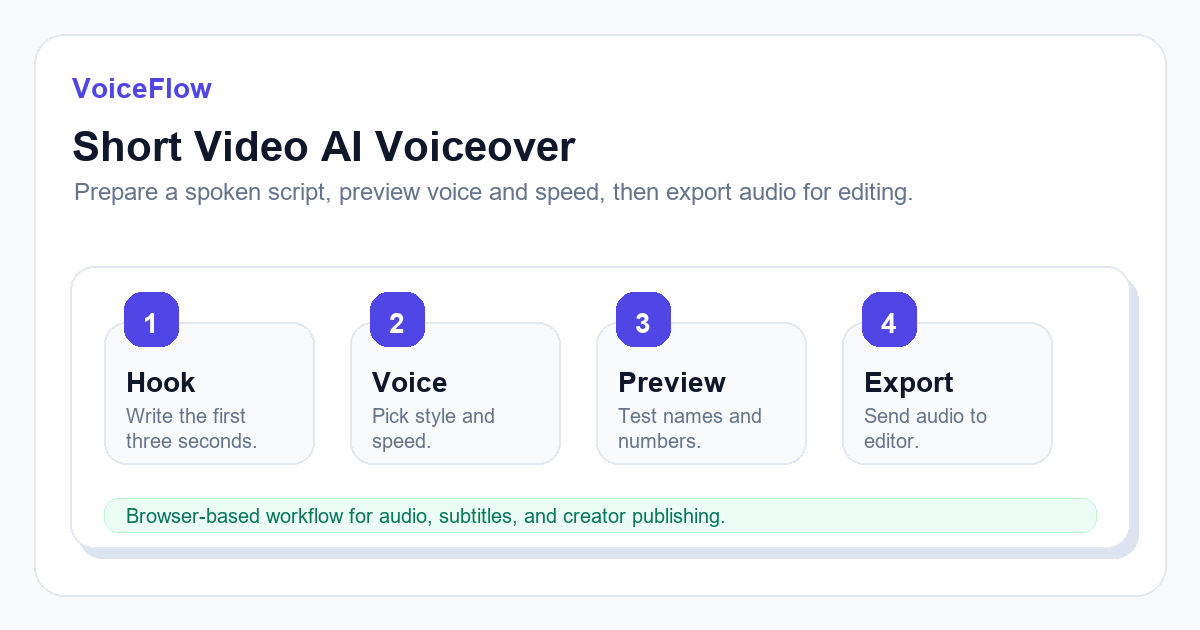
Best AI Voice for YouTube Narration — Quick Picks
- English narration (female): Jenny AI voice generator — clear American accent, friendly tone, ideal for tutorials, product demos, and faceless YouTube channels.
- English narration (male): Andrew DragonHD AI voice — premium long-form narration for documentary-style and deep-dive videos.
- Chinese (Mandarin) narration: Xiaoxiao AI voice for Chinese narration — the most widely used Mandarin female voice for short videos, courses, and podcast intros. For male reads, try Yunxi AI voice.
- Polished English explainer: Aria AI voice — measured and professional, best for SaaS walkthroughs and software tutorials.
Start with the video format
A voice that sounds excellent for a course module may feel too slow for Shorts. A bright voice that works for hooks may feel too casual for a software tutorial. Before choosing a voice, define the final video format and the audience expectation.
For most YouTube scripts, test the first 80 to 120 words. Include a title phrase, a number, a product name, and one longer sentence. This exposes pacing and pronunciation problems before you generate the full audio.
- Explainer videos usually need clear pacing and neutral confidence.
- Tutorials need slower delivery and clean pronunciation for technical terms.
- Shorts need a voice that stays intelligible at a slightly faster pace.
- Documentary-style videos need a steadier voice that remains comfortable over several minutes.
Featured voices to test first
Jenny AI voice generator is a strong first test for English creator narration because it is friendly and versatile. Aria AI voice works well when you need a more polished explainer voice. Guy AI voice and Christopher AI voice are useful for measured English male narration, while Andrew DragonHD AI voice is better for premium long-form reads.
For Mandarin narration, Xiaoxiao AI voice for Chinese narration is a practical baseline for clear female narration, and Xiaoxiao DragonHD AI voice is better when the project needs a more polished sound. Yunxi AI voice and Yunxi DragonHD AI voice are useful for warmer Mandarin male narration.
- Jenny AI Voice
- Aria AI Voice
- Guy AI Voice
- Christopher AI Voice
- Andrew DragonHD AI Voice
- Xiaoxiao AI Voice
- Xiaoxiao DragonHD AI Voice
- Yunxi AI Voice
Match voice settings to script intent
Once the voice is close, adjust the script before changing settings too aggressively. Shorter sentences, clearer punctuation, and explicit line breaks often improve narration more than extreme speed or pitch changes.
For tutorials, start near normal speed and slow down slightly if technical terms feel rushed. For Shorts, use a slightly faster speed only if the first sentence remains easy to understand on mobile speakers.
- Use commas and periods to control breathing points.
- Write acronyms and brand names exactly as you want them spoken.
- Generate a short preview before producing the full narration.
- Create subtitles from the final approved script, not from an early draft.
Build a repeatable voice shortlist
Do not evaluate hundreds of voices every time. Keep a small shortlist for each channel format: one clear female voice, one clear male voice, one premium long-form voice, and one voice for quick hooks.
After you find a reliable voice for a channel, keep the same voice for recurring segments. Consistency helps viewers recognize the format and reduces editing time.
- English Female Voices
- English Male Voices
- Chinese DragonHD Voices
- Podcast AI Voices
- Audiobook and Narration Voices
Use the same test script for every voice
A fair voice comparison needs the same script. If you test Jenny with a simple sentence and Andrew with a dense paragraph, you are comparing the scripts rather than the voices. Use one short sample that includes the things YouTube narration often struggles with: a hook, a number, a brand name, a technical phrase, and a longer explanatory sentence.
Here is a practical test script you can paste into each voice before making a final choice: "Today we are comparing three ways to make your video sound clearer. First, we will test the opening hook. Then we will check product names like VoiceIndex AI, numbers like 24.5 percent, and one longer sentence that shows whether the voice can keep a steady rhythm without sounding rushed."
- Use the same 80 to 120 word sample for each candidate voice.
- Listen on laptop speakers and phone speakers, not only headphones.
- Check whether numbers, acronyms, and product names sound acceptable.
- Reject a voice if the opening sentence sounds unclear, even if the rest is fine.
Choose by channel style, not only by gender
Many creators start by choosing male or female, but channel style is usually more important. A tutorial channel needs patience and clarity. A product review channel needs confidence without sounding like an advertisement. A documentary channel needs a voice that stays comfortable for several minutes.
For a software tutorial, Aria or Christopher may be easier to follow than a very energetic voice. For a friendly list video, Jenny can be a better first test. For premium documentary narration, Andrew DragonHD or Xiaoxiao DragonHD usually deserves a separate preview because the pacing and texture are different from standard neural voices.
- Tutorials: prioritize pronunciation and a slightly slower pace.
- Product demos: prioritize clean emphasis and confident delivery.
- Shorts: prioritize the first sentence and mobile intelligibility.
- Documentaries: prioritize comfort over long listening sessions.
Common mistakes that make good voices sound bad
When a voice sounds robotic, the model is not always the problem. The most common issue is a script written for reading, not speaking. Blog-style paragraphs, stacked clauses, missing punctuation, and vague transitions make the voice guess where to pause.
Another common mistake is over-adjusting speed. If a voice sounds slow, cut words before pushing speed too high. If it sounds flat, rewrite the sentence with a clearer verb and a shorter phrase before changing pitch. A stronger script usually beats aggressive settings.
- Do not paste a long article paragraph directly into TTS.
- Avoid three or four clauses in one sentence.
- Spell difficult brand names consistently across the script.
- Use line breaks when a scene changes or a subtitle should break.
Plan subtitles before final export
YouTube narration often ends up paired with captions. If the voiceover is generated from one script and the subtitles are created from another draft, the final edit becomes messy. Keep one approved script, generate the voice from it, and then create captions from the same final wording.
For Shorts and tutorials, shorter caption lines are easier to read. If one sentence is too long for captions, split it in the script before generating audio. This gives you cleaner pauses and cleaner SRT files later.
A practical publishing checklist
Before publishing, check the voiceover in the same context where viewers will hear it. A voice that sounds perfect alone may compete with background music, sound effects, or fast captions. Export a short draft with visuals and listen once without looking at the script.
If the first three seconds are weak, fix the hook. If the middle feels tiring, shorten the sentences. If the ending feels abrupt, add a final line that gives the viewer a clear next step. These small editorial changes usually matter more than changing voices at the last minute.
- First three seconds: clear hook, no rushed product name.
- Middle section: stable pace, no overloaded sentence.
- Final line: clear conclusion or call to action.
- Captions: readable line length and timing that follows the final audio.
A simple decision tree for YouTube voices
Start with the channel format, then choose the voice. If the viewer needs to follow steps, pick clarity first. If the viewer needs to stay through a story, pick long-form comfort. If the video is built around a hook, test the first sentence on phone speakers before judging the rest of the script.
- Tutorial or SaaS walkthrough: start with Aria AI voice, Jenny AI voice generator, or Christopher AI voice, then test in the YouTube Voiceover Generator.
- Shorts and repurposed clips: compare the same hook in the TikTok Voiceover Generator before exporting the final cut.
- Chinese / Mandarin narration: use Xiaoxiao AI voice for Chinese narration or Xiaoxiao DragonHD AI voice for higher-fidelity output. For male reads, try Yunxi AI voice.
- Caption-first workflow: after the narration is approved, use Video to SRT so the final captions match the actual audio.
Do not rank voices without a real script
Official samples are useful for a first impression, but YouTube narration fails on real details: numbers, acronyms, product names, and long explanations. Use a sample from your own channel before deciding that one voice is better than another.
Related voice workflows
Use these entry points when you want to test the advice in this guide with a real script and compare voices by production scenario.
Ready to try it? Use VoiceIndex AI to keep voice, subtitles, and audio workflow closer together.
Open the YouTube voiceover workflowFAQ
What is the best AI voice for YouTube narration?
There is no single best voice for every channel. Jenny and Aria are good English starting points, Guy and Christopher work well for steady male narration, Andrew DragonHD fits premium long-form reads, and Xiaoxiao is a strong Mandarin narration baseline.
Should I use the same AI voice for every video?
For a recurring YouTube format, using a consistent voice can help recognition and reduce production time. For ads, Shorts, or special series, it is reasonable to test a different tone.
How do I make AI narration sound less robotic?
Rewrite the script as spoken language, use clear punctuation, preview a short sample, and avoid long dense paragraphs. Voice choice matters, but script shape is often the fastest fix.