Short-video voiceovers are different from long narration. The first seconds need to be clear, the pacing has to match fast cuts, and the audio should be easy to align with captions.
This guide gives a repeatable workflow for turning a script into an AI voiceover that works for Shorts, Reels, TikTok, product demos, and short course clips.
For a focused starting point, open the TikTok Voiceover Generator, then compare short-form voices in the TikTok Voiceover Voices category.
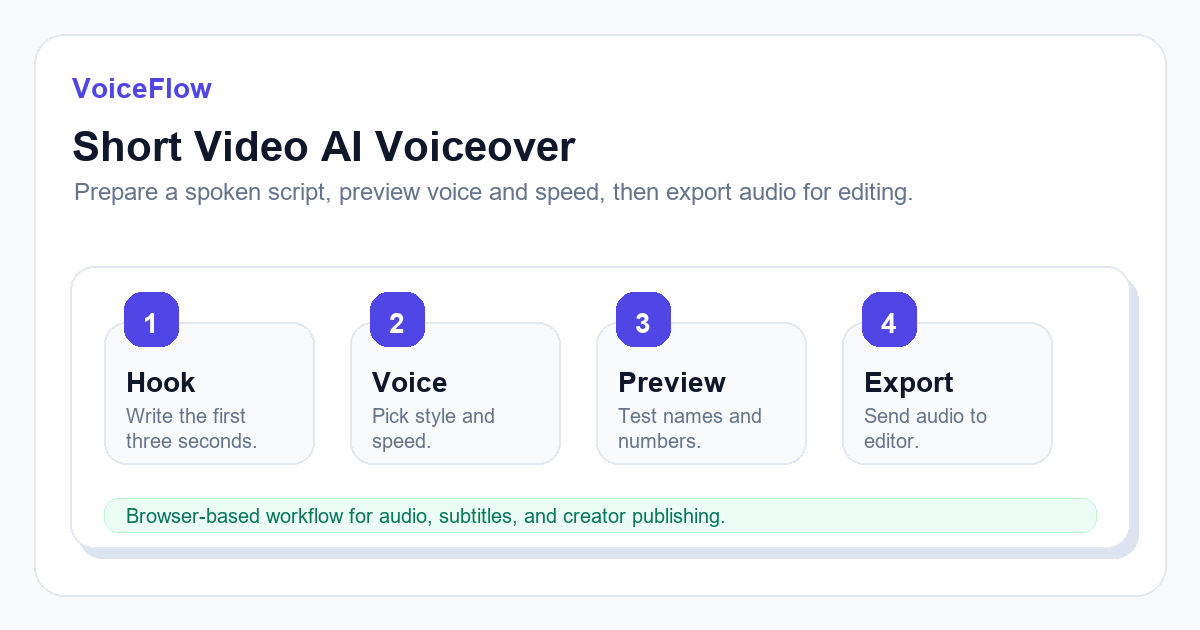
Start with a spoken script
Do not paste a blog paragraph directly into a voice generator. Rewrite it as spoken language. Short sentences, clear transitions, and visible pauses make the generated voice sound more intentional.
A useful structure is hook, context, answer, proof, and closing line. This keeps the voiceover easy to cut into scenes.
- Put the main tension in the first sentence.
- Use commas and periods to guide pauses.
- Avoid long stacked clauses that are hard to read aloud.
- Keep product names and numbers exactly as you want them spoken.
Choose voice and speed together
Voice choice and speed are connected. A calm voice at high speed can sound unnatural, while an energetic voice at slow speed can feel flat. For short social clips, test a friendly option such as Jenny AI Voice, a cleaner explainer option such as Aria AI Voice, and a steady male option such as Guy AI Voice. Preview the opening three seconds before generating the full script.
For educational clips, slightly slower delivery often improves retention. For ads or hooks, faster pacing may work, but it should not bury key words.
Export audio and plan captions
After generating audio, bring it into your editor and add captions. If your workflow also needs subtitles, generate or prepare SRT early so you can catch wording problems before final export.
Captions should not simply mirror every long sentence. Split lines where viewers naturally breathe or where the visual scene changes.
Quality check before publishing
Listen to the first three seconds, one middle sentence, and the final sentence. Check names, numbers, emphasis, and whether the audio peaks are comfortable.
If the hook feels wrong, fix the script first. Regenerating with the same weak sentence rarely solves the problem.
Choose the landing page by platform intent
For overseas SEO, do not treat every short-video article as a generic text-to-speech article. Match the page you link to with the platform intent in the paragraph. This helps users and search engines understand which workflow is the primary answer.
- TikTok, Shorts, and Reels: link to the TikTok Voiceover Generator when the script is about hooks, mobile pacing, or social clips.
- YouTube tutorials and reviews: link to the YouTube Voiceover Generator when the script needs longer narration and clearer explanation.
- Generic narration: link to Free Text to Speech when the article is about turning any script into audio.
A short-video script template that works for TTS
Use a four-part structure: hook, context, method, and outcome. For example: "Still typing captions by hand? That slows down every upload. Generate the voiceover first, edit the video around the audio, then export SRT subtitles from the final cut. The result is easier to review and faster to publish."
This format gives the voice model short clauses, visible pauses, and a clear closing line. It also creates natural places to link to voiceover and subtitle tools without forcing keywords into the copy.
Related voice workflows
Use these entry points when you want to test the advice in this guide with a real script and compare voices by production scenario.
Ready to try it? Use VoiceIndex AI to keep voice, subtitles, and audio workflow closer together.
Open the TikTok voiceover workflowFAQ
How long should a short-video voiceover be?
Many short videos work well between 20 and 60 seconds. The right length depends on platform, pacing, and the density of the script.
Should I generate the whole script at once?
For longer scripts, generate a short test first. Once voice, speed, and pronunciation are acceptable, generate the full version or split it into sections.