Long pauses make podcasts, lessons, and voice recordings feel slower than they need to be. A silence remover detects low-volume sections and trims them while preserving speech.
The key is not to remove every quiet moment. Natural breathing and short pauses help listeners understand the content.
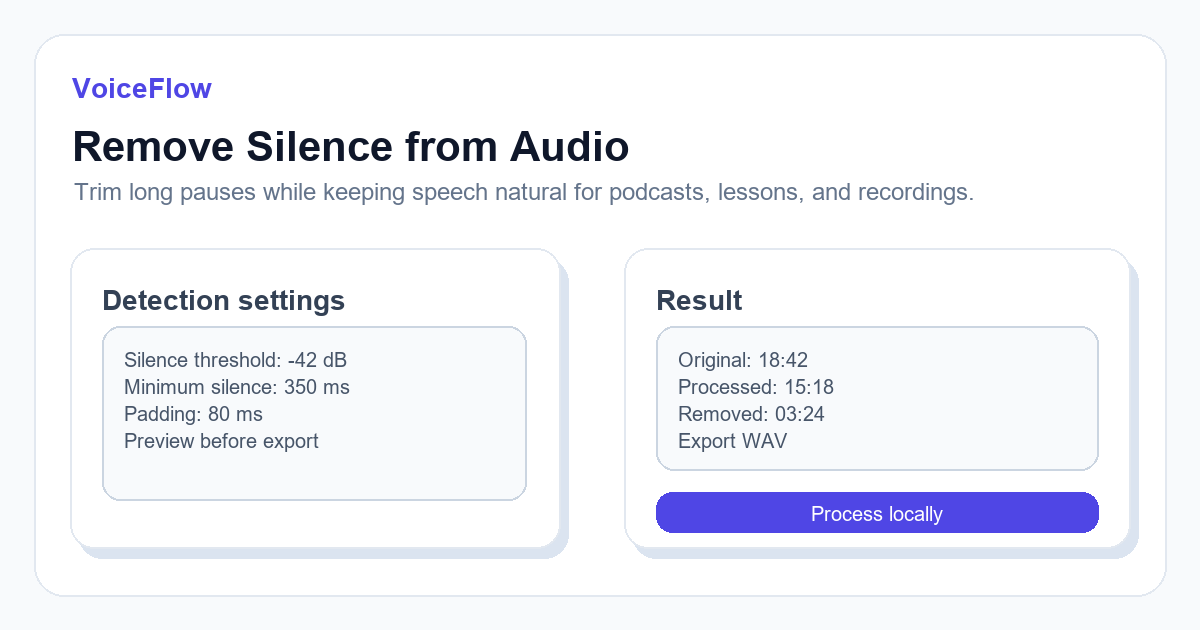
How silence detection works
A silence remover analyzes audio volume over short windows. When the signal stays below a threshold for long enough, that region can be shortened or removed.
Threshold and minimum duration are the two most important settings. A threshold that is too aggressive may cut soft speech endings.
- Use a lower threshold for noisy recordings.
- Use a longer minimum silence duration for natural speech.
- Keep a small buffer before and after speech segments.
- Preview a short section before processing the full file.
Best settings for common cases
For podcasts, keep some breathing room so the result does not feel over-edited. For course recordings, remove long gaps between examples or slides. For raw voice notes, stronger trimming may be acceptable.
If background noise is constant, lower the threshold rather than trying to cut every quiet section.
What silence removal cannot fix
Silence removal does not remove background music, echo, or constant hum by itself. If the recording has heavy noise, clean the source or use noise reduction before trimming pauses.
It also cannot repair clipped or distorted speech.
Export and review
After processing, listen around cut points. If words feel chopped, reduce the threshold or increase padding.
For publishing, compare the original duration and trimmed duration, then decide whether the pacing still feels human.
Related transcription workflows
Use these tools when a recording needs cleanup, transcription, captions, or a new AI voiceover version.
Ready to try it? Use VoiceIndex AI to keep voice, subtitles, and audio workflow closer together.
Remove silence from audioFAQ
Will silence removal upload my audio?
In VoiceIndex AI audio tools, processing is designed to run locally in the browser for supported files.
Can removing silence make speech sound unnatural?
Yes, if settings are too aggressive. Keep short pauses and use padding around speech.