CapCut and Jianying projects often store subtitle text inside local draft files. If the app does not give you a direct SRT export in your workflow, the draft JSON may still contain the subtitle segments and timing information.
This guide explains what to look for and how to extract subtitles safely.
Find the correct draft file
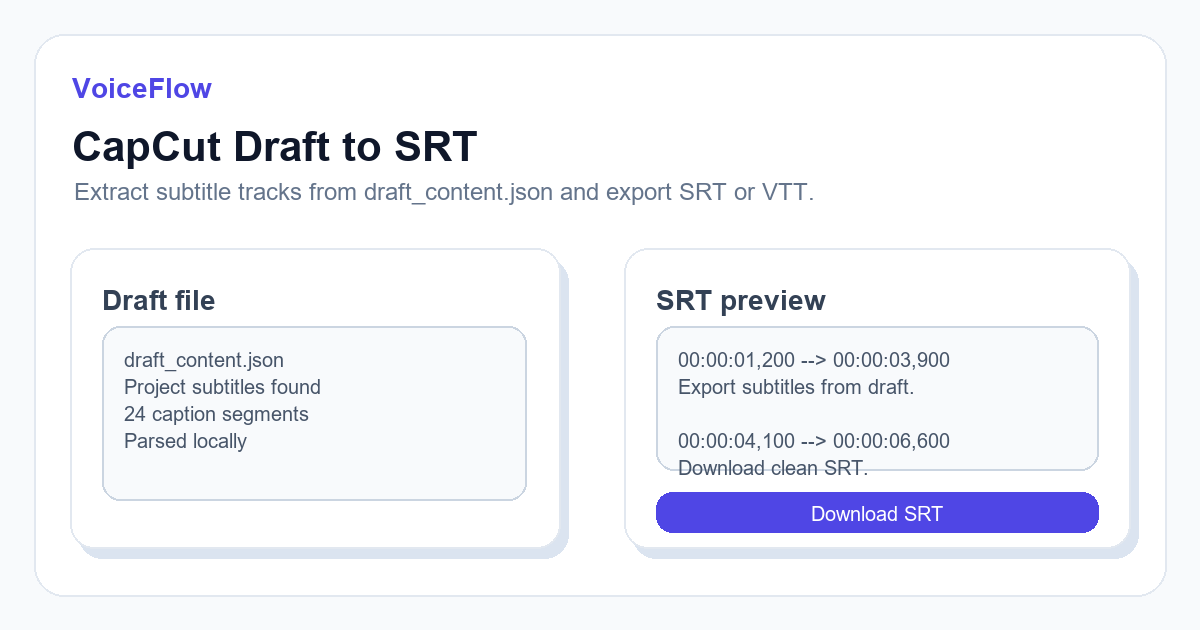
The file is usually named draft_content.json inside the project folder. Make sure it belongs to the latest saved version of the project.
If you upload an older draft, the extracted subtitles may not match the current edit.
What the converter reads
A draft-to-SRT converter looks for text segments and timing data, then rebuilds them into standard subtitle blocks.
It does not need your exported video file. It only needs the project draft file that contains subtitle metadata.
Preview before downloading
After parsing, preview the result. Check whether all subtitle lines are present and whether the order matches the project.
Then export SRT for editing tools or VTT for web playback.
Troubleshooting
If no subtitles are found, the project may not contain a text subtitle track, or the draft format may differ between app versions.
Try confirming the project folder, saving the project again, and checking whether the draft file modification time is current.
Related subtitle and voice tools
If this article is part of a video workflow, these pages connect subtitle generation, transcription, and voiceover planning.
Ready to try it? Use VoiceIndex AI to keep voice, subtitles, and audio workflow closer together.
Extract subtitles from a draftFAQ
Does the converter need my video file?
No. It reads subtitle-related data from the draft JSON file.
Why did parsing return no subtitles?
The draft may not contain subtitle tracks, or it may use a structure that the parser does not support yet.