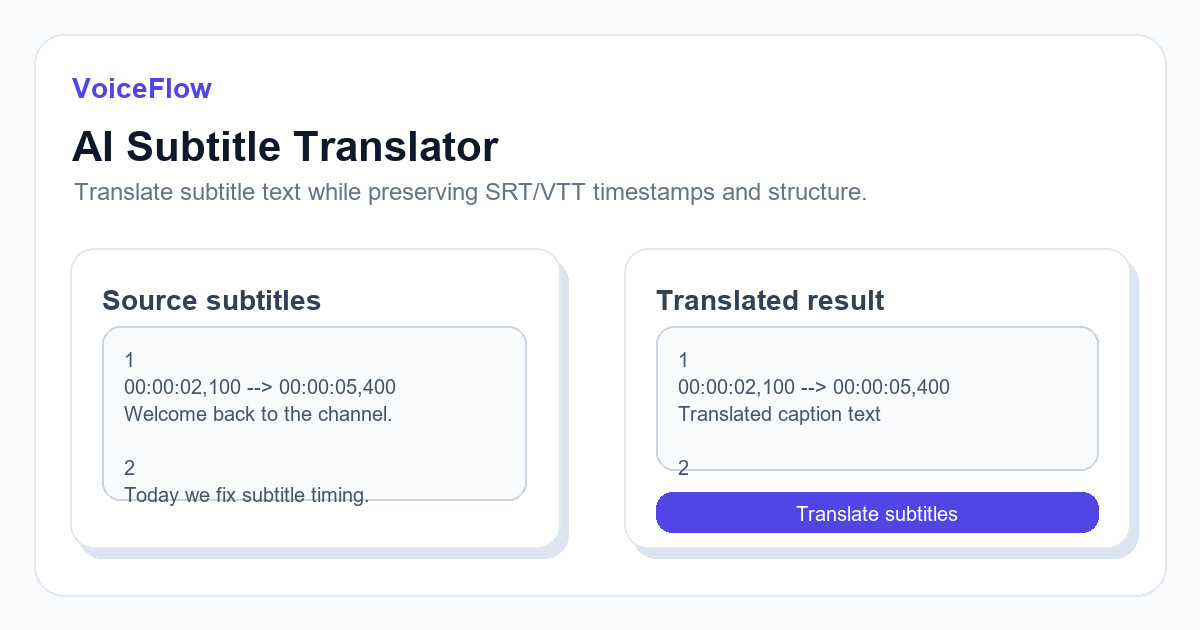
Subtitle translation is not the same as translating a plain paragraph. You need to preserve timestamps, line breaks, sequence numbers, and readability.
An AI subtitle workflow should translate only the subtitle text and then write it back into the original SRT or VTT structure.
Prepare the source subtitle file
Before translation, check whether the original subtitles are well segmented. Very long lines or broken timestamps will become harder to read after translation.
Fix timing and line breaks first, then translate.
Keep timestamps unchanged
The timestamp lines should remain intact. Only the visible subtitle text should be replaced by the translated version.
This lets you import the translated file into the same video timeline without re-syncing from scratch.
Review context-sensitive terms
AI can translate quickly, but product names, jokes, idioms, and technical terms still need review. For branded content, build a small glossary before translating many files.
If a subtitle is too long after translation, shorten the line while preserving the meaning.
Export bilingual or single-language subtitles
Some platforms prefer one language per subtitle file. Others allow bilingual lines. Choose based on where the video will be published.
For editing software, separate files are usually easier to style and manage.
Related subtitle and voice tools
If this article is part of a video workflow, these pages connect subtitle generation, transcription, and voiceover planning.
Ready to try it? Use VoiceIndex AI to keep voice, subtitles, and audio workflow closer together.
Translate subtitles with AIFAQ
Will AI subtitle translation change timing?
A correct workflow keeps timestamps and numbering unchanged while replacing subtitle text.
Should I translate before fixing subtitle sync?
No. Fix obvious timing and segmentation issues before translation so the translated result is easier to read.